
Free for Mac
Speak naturally.
Write clearly.
Teksto is a menu-bar dictation app for Mac. Press a shortcut, talk, and get polished text on your clipboard. It transcribes and rewrites on your Mac, so your voice and your words are not sent anywhere.
Free · Apple silicon · macOS 14 or later · Signed and notarized
How it works
From your voice to your clipboard.
- Control, Option, Space. ⌃⌥Space
Press the shortcut
Start a recording from any app. The shortcut works system-wide, needs no Accessibility permission, and can be changed in Settings.
-
Say it your way
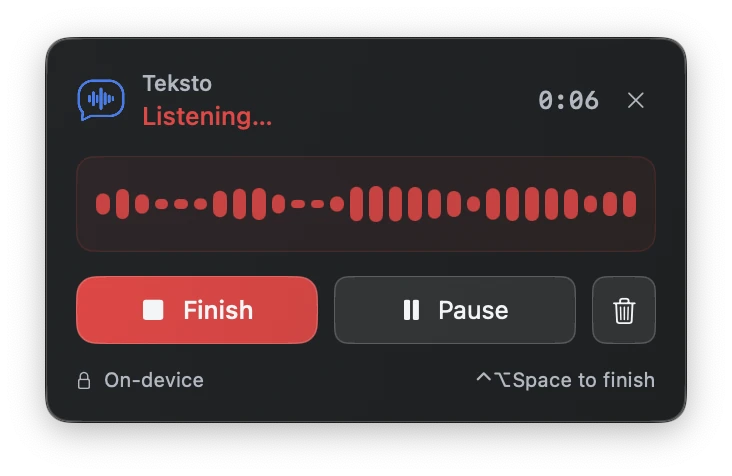
A small floating panel shows the waveform and the timer. Pause to think without adding silence, or throw the take away.
- Command, V. ⌘V
Press it again, then paste
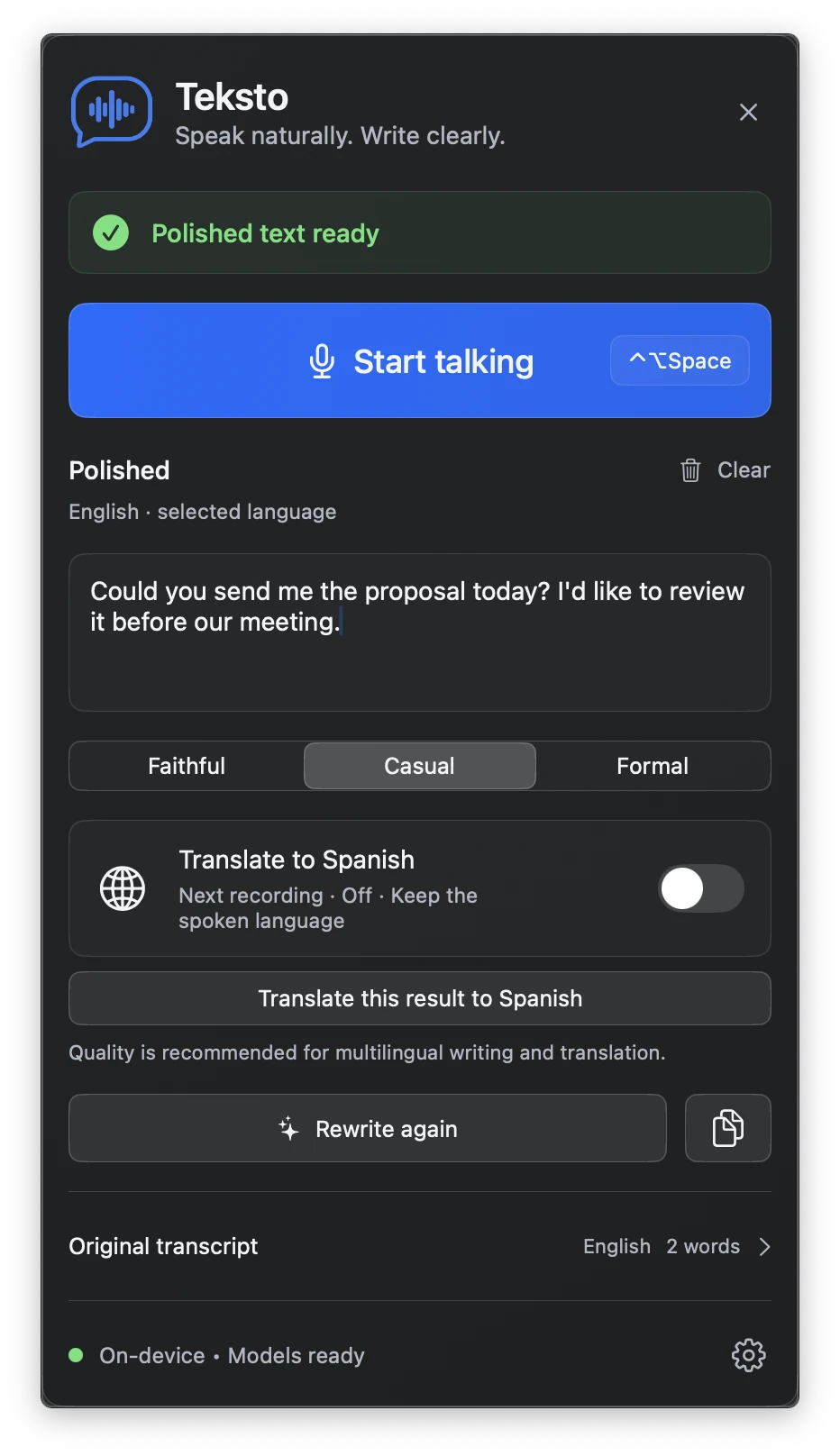
Teksto transcribes, fixes clear grammar and recognition slips, and copies the polished text. Paste it wherever you were writing.
What it does
Dictation that cleans up after you.
Teksto does not just write down what you said. It writes what you meant, in the tone you asked for, without changing the substance.
Private by design
Speech recognition and rewriting both run on your Mac. After the first model download, nothing you say is sent anywhere.
Detects your language
Teksto detects the language you are speaking and is built to keep your words in it. You can also choose the language in Settings.
Three writing styles
Faithful, Casual or Formal. Each one keeps what you meant and changes only how formal it sounds.
Translation when you want it
Pick a language in Settings, then switch translation on when you need it. You get the polished original and the translation, each in its own tab.
Pause, cancel, start over
Pause mid-thought, cancel at any stage, or clear the result. A cancelled take never touches your clipboard.
No account, no analytics
There is nothing to sign up for. Teksto contains no cloud API clients and no analytics.
Settings
Set it up once.
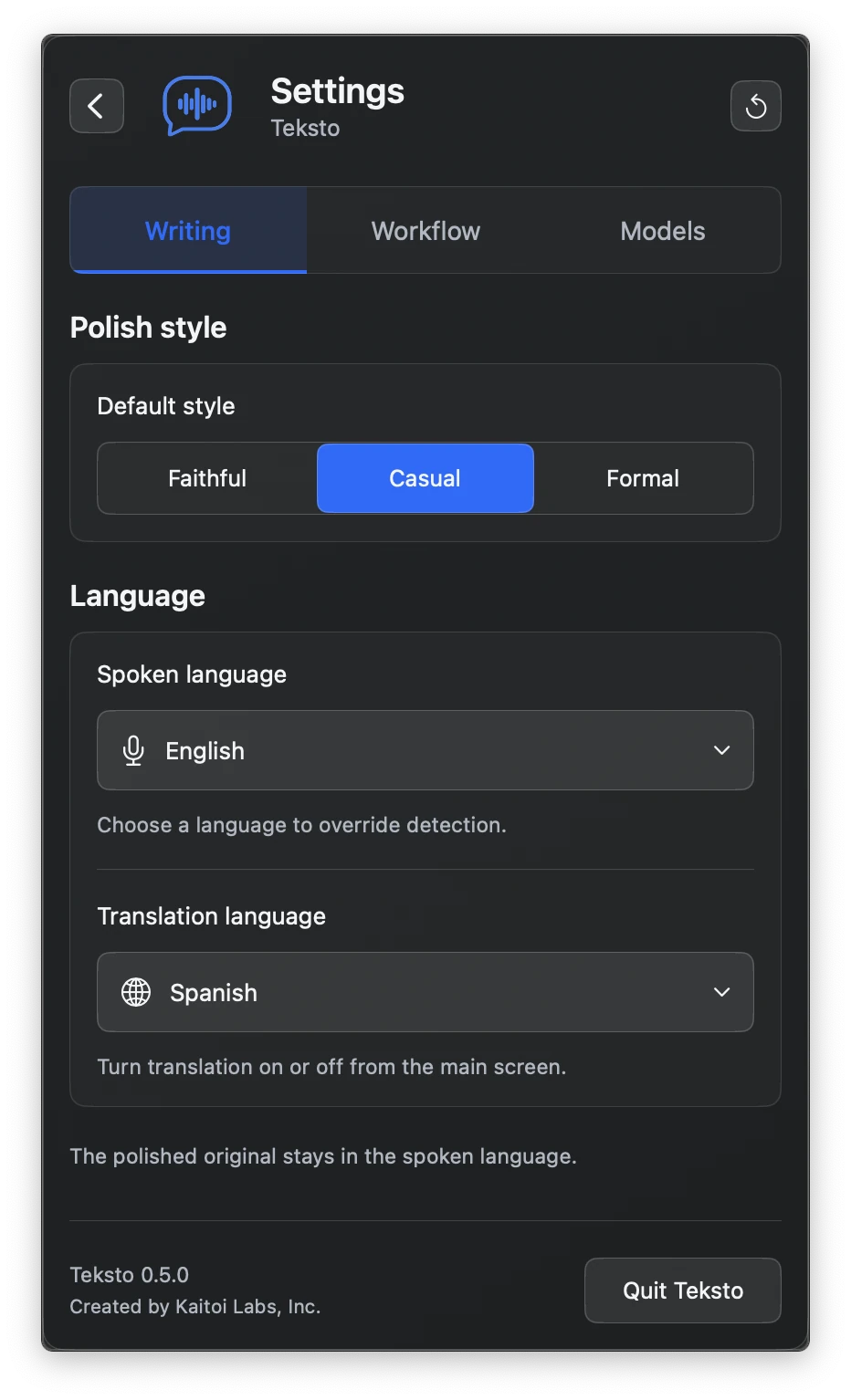
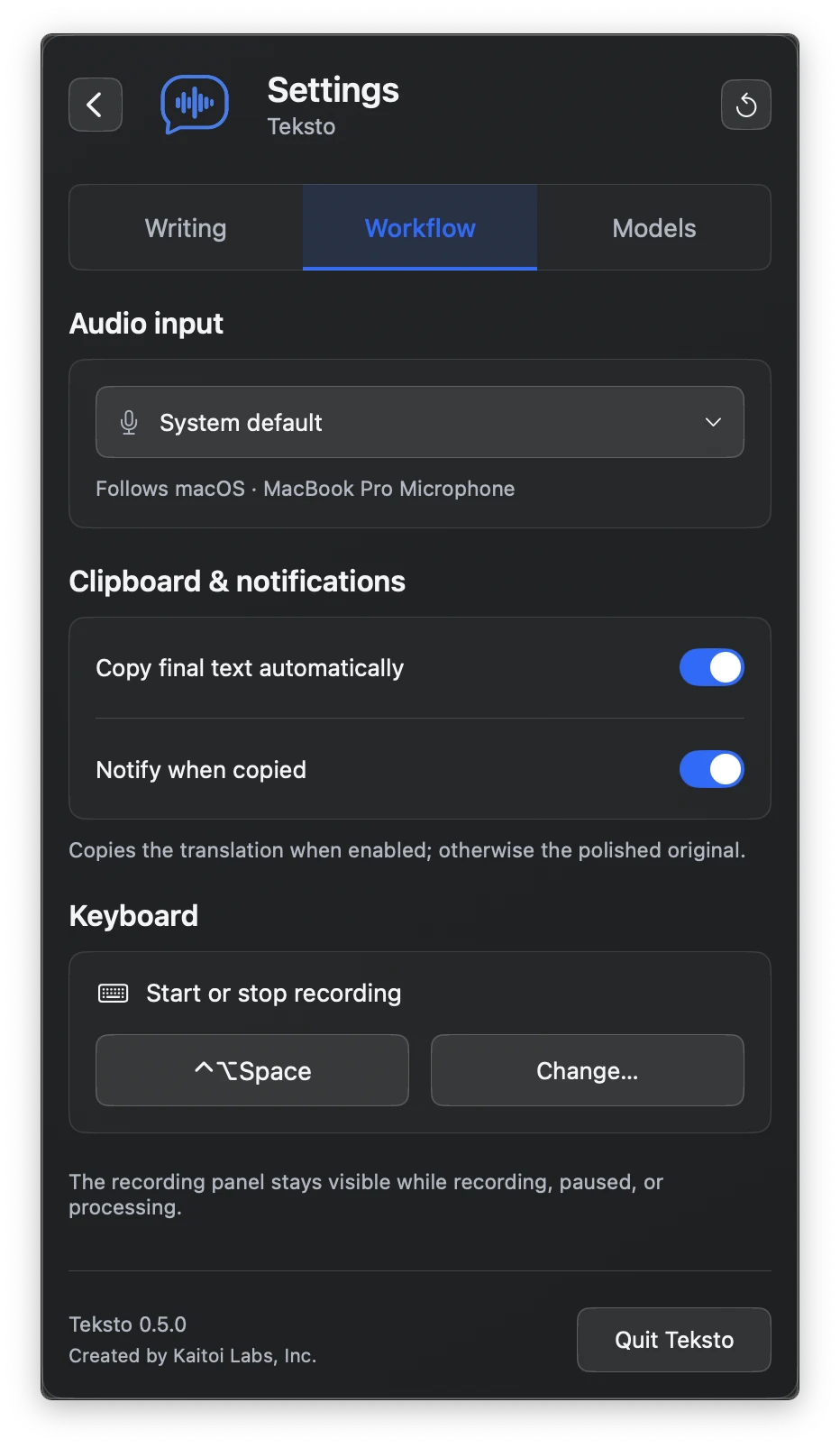
Choose your default style and languages, pick the microphone, the clipboard behavior and the shortcut, and see which models are on your Mac.
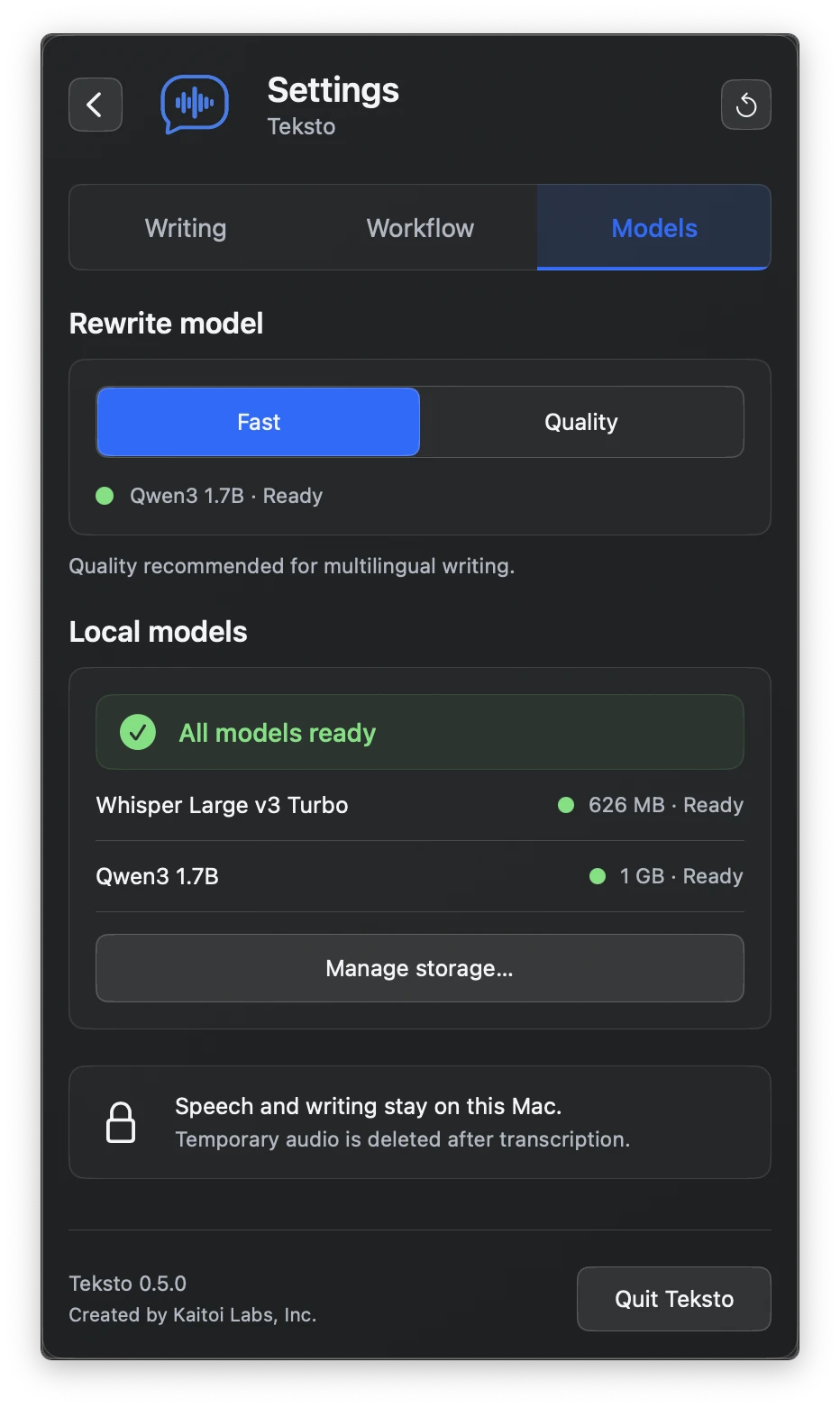
Your voice and your words stay on your Mac.
A recording is written to a temporary file, processed on your Mac, and deleted as soon as it has been transcribed, cancelled, or the app quits. The transcript and the polished result stay in memory and are cleared when you reset or quit.
The details
What it needs, and what runs inside.
Requirements
- A Mac with Apple silicon (M1 or newer)
- macOS 14 or newer
- Internet access the first time, to download the speech and writing models
Under the hood
- Speech: Whisper Large v3 Turbo, run with WhisperKit
- Writing: Gemma 4 E2B on Macs with 16 GB of memory or more, Qwen3 1.7B otherwise, run with MLX
- Every model is MIT or Apache 2.0 licensed
Security
- Signed with the Kaitoi Labs Developer ID
- Notarized by Apple, with the ticket stapled for offline first launch
- Every release ships with SHA-256 checksums
Try Teksto. It’s free.
Open the disk image and drag Teksto to your Applications folder. The models download the first time you open it.
Apple silicon · macOS 14 or later


A free app from Kaitoi Labs
Teksto is made by the team behind Kaitoi Studio.
Kaitoi Studio is our AI workspace for visual production teams, with graph workflows, storyboards, a timeline and media tools in one browser tab.